How the Site Works: Ascend's mission is to take the pain out of personal finance for everyone. Not everyone who comes to our site is currently best fit for the Ascend product, so we spend a great deal of time and effort finding partners that we hope will be beneficial to you.
How We Make Money: Our partners sometimes compensate us in the way of advertising. Some partners we recommend pay us referral fees for sending them new customers. If you click through an application link on our site and end up receiving the service, we may receive compensation when your application is approved, and you move forward with this product. Each partner is vetted based on the following criteria:
I still haven't met a bankruptcy attorney who went to law school to do marketing to get bankruptcy leads. Thankfully, Ascend specializes in bankruptcy leads, so hopefully this article will help you get free bankruptcy leads from the Google map 3 pack.
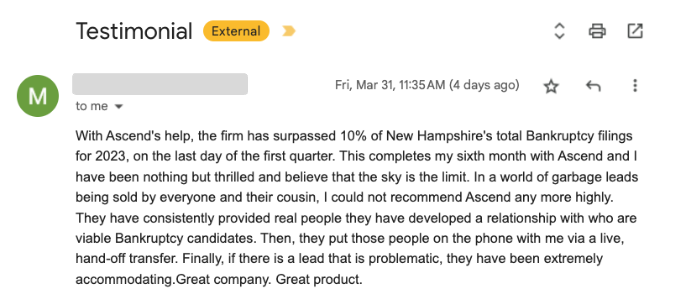
One of the biggest free opportunities from our "how to get bankruptcy leads" guide is the Google Maps Local 3-Pack. The purpose of this article is a deep dive into one of the most lucrative bankruptcy lead opportunities. Oh, and it's free.
The Google Maps 3-Pack is the name of the method that Google uses to show the top 3 local results in Google Maps. For example, if you search "Bankruptcy Attorney Knoxville TN", you can see below the top 3 results for the Google maps 3-pack. As you can see, the minimum reviews a bankruptcy attorney has above is 44 attorney reviews. You may consider bankruptcy software for attorney reviews to help encourage more reviews.

The Google Maps 3-Pack is an extremely important (and free) way to get bankruptcy leads to your firm.
The challenge is that the Google maps 3 pack can also be very competitive, so the purpose of this article is to help you become more competitive to rank and get free bankruptcy leads.
At Ascend, we spend over $30,000 per month on Google Ads alone nationwide, focusing on bankruptcy-related keywords. So, let me give a quick primer on how Google ads work in the bankruptcy realm.
Google charges based on competition for that keyword. You can rank FOR FREE for "Bankruptcy Attorney Knoxville TN" if you get in the 3 pack, so you can essentially be getting high-intent bankruptcy clients to come to you for free, either through phone call or through email.
Your next question may be, "How do I rank on the Google Local 3-Pack?". We will cover that next.
There is some debate on how to rank for Google Local 3-Pack because Google keeps the information pretty tight-lipped. That said, it appears that there is some correlation between elements of your Google My Business profile. Here's the starting point.
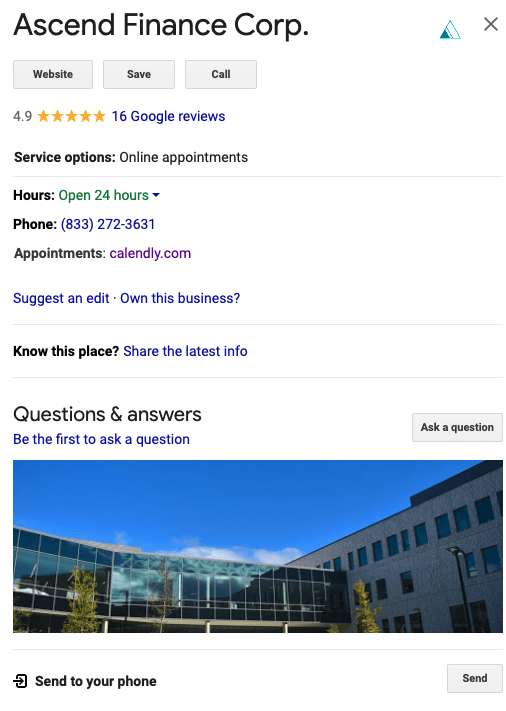
First, you need to create a free Google My Business Account. Google Maps uses information from your Google My Business Account when determining where to rank you for bankruptcy-specific keywords. Your account will look something like this when set up.
Google uses 3 things to determine the local ranking:
We will cover some things below that can help you increase your relevance, distance, and prominence.
Let's now talk about optimization to get in the Google Local 3-Pack.
The Google Local 3-Pack is one of the best ways that you can get bankruptcy leads for free. It requires some work (and lots of strategies) to optimize your Google My Business profile, but that work can be very helpful to get potential clients through the door.
Many bankruptcy attorneys (including my brother) have had horror stories purchasing bankruptcy leads. As such, Ascend built bankruptcy calculators to help clients estimate bankruptcy information and help attorneys get quality bankruptcy leads. Drop me a note at ben@tryascend.com if you have any specific questions.


 Yes
Yes No
No